Phase 5 — API and integration#
9 lessons · Level: intermediate to advanced
Almost everything you can do in the panel, you can do with the API. A billing system, your own application, or an automation script talks to VirtFusion from here.
The paths in this phase were verified in a real integration. But the full request fields and the response structure of each endpoint change with the version of your panel. Compare them with the API reference of your own control server.
What is in this phase#
| Lesson | What you learn |
|---|---|
| 1 — Tokens, the base URL, and the request | Make a token, and read the error codes |
| 2 — Users and SSO tokens | Find a user with byExtRelation, and log in without a password |
| 3 — Make a server, and build it | The full flow of the create call and the build call |
| 4 — Control and change a server | The calls for power, resize, IP, and passwords |
| 5 — Inventory: hypervisors, packages, IPs | Know how much space is free, and where |
| 6 — SSH key management | Put a key in place before the build |
| 7 — Webhooks and event hooks | Let your system know when something happens |
| 8 — Billing integration | The modules for 7 systems, WHMCS among them |
| 9 — Build your own panel or automation | Keep VirtFusion as the engine behind your own UI |
Lesson 1 — Tokens, the base URL, and the request#
Bro, what is this? Ok so basically: the token IS the panel. Anyone holding it can do anything you can do. So lock it to your application's IP in the Access box, keep it out of git, and keep it out of your logs. Then learn what the error codes are telling you.
Make a token#
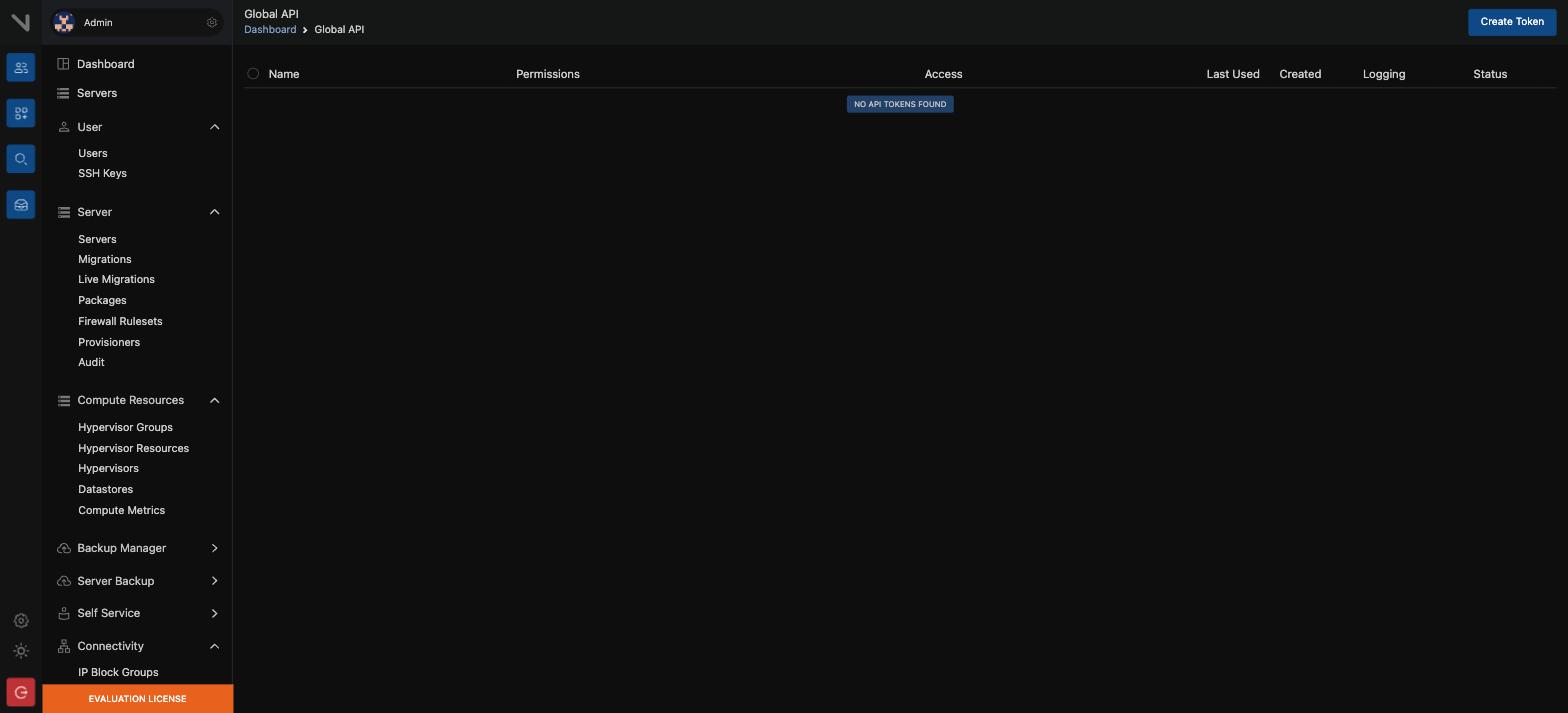
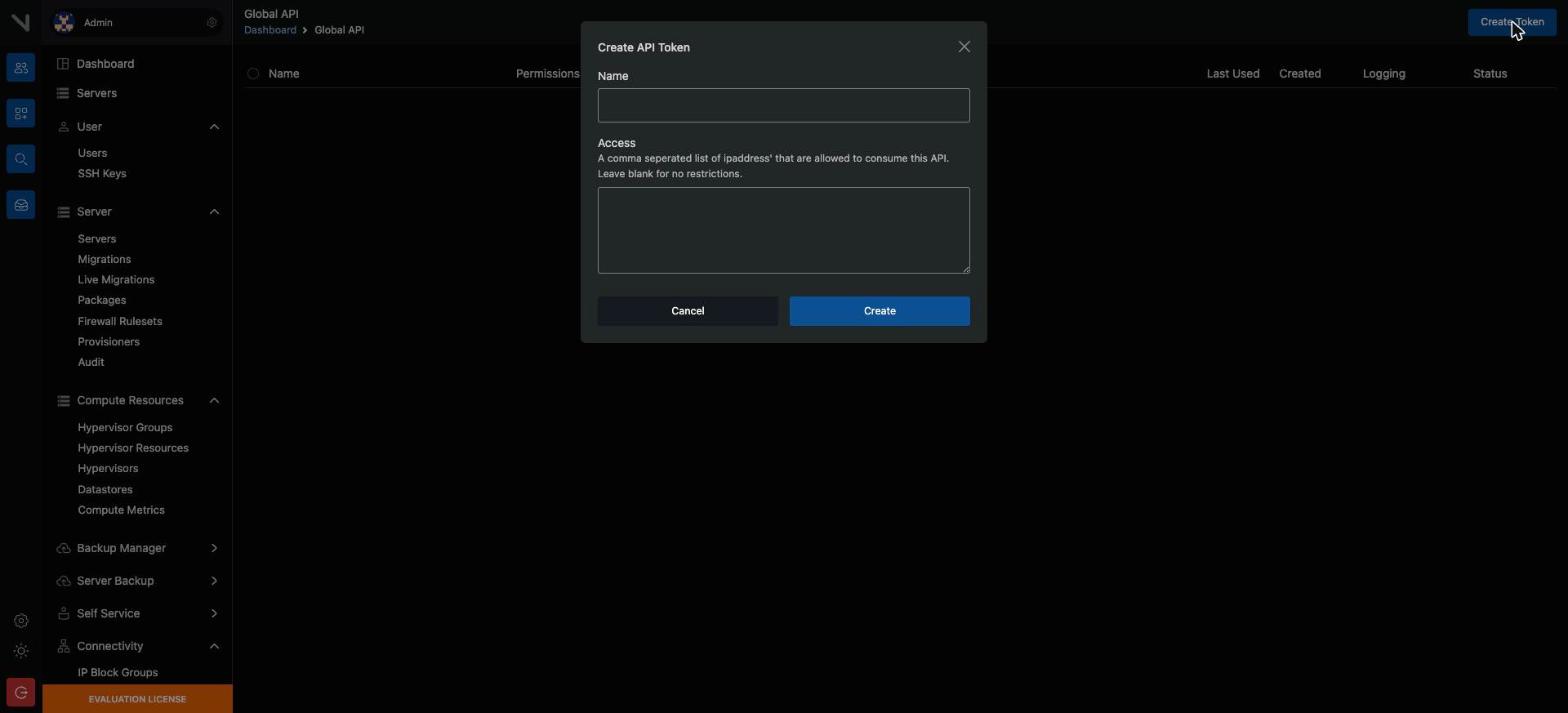
In the panel, go to System → API → Create Token. You can restrict the token to a named IP. In production you must do this.
WARNING: Anyone who gets the token can operate the whole panel. Do not keep it in git, and do not write it to a log. Keep the outbound IP of your application static, then lock the token to that IP.
The shape of a request#
POST /api/v1/servers HTTP/1.1
Host: panel.example.com
Authorization: Bearer <API_TOKEN>
Content-Type: application/json
Accept: application/json| Item | Value |
|---|---|
| Base URL | https://<control-server>/api/v1 |
| Authentication | Authorization: Bearer <token> |
| Format | JSON. Send Accept: application/json |
| Connection test | GET /connect |
Handle the errors#
| Status | What it means | What to do |
|---|---|---|
| 401 | The token is wrong, or the IP does not match | Look at the token and the IP lock |
| 403 | No permission | Look at the scope of the token |
| 422 | Validation failed | Read errors in the response |
| 429 | Rate limit | Obey Retry-After, wait, and try again |
| 5xx | A problem in the panel | Try again, with a backoff |
Version 7.x can set a rate limit for each user, so keep exponential backoff in your client. A timeout of about 15 seconds is reasonable, because some calls travel as far as the hypervisor.
Lesson 2 — Users and SSO tokens#
Bro, what is this? Ok so basically: stamp your own customer id onto the VirtFusion user with
extRelationId, then you can always find them again. SSO is the other half — it drops a logged-in customer straight into the panel with no second password.
Make a user, and find one#
POST /api/v1/users
GET  /api/v1/users/{extRelationId}/byExtRelation
With byExtRelation you find the VirtFusion user from the user id in your own system. Do not make the internal VirtFusion id the primary key in your own database.
SSO — send a customer into the panel#
Your customer is logged in on your site. When they press "Open console", you can send them into VirtFusion without a password:
POST /api/v1/users/{userId}/authenticationTokens
POST /api/v1/users/{userId}/serverAuthenticationTokens/{serverId}- The first gives a token for a normal login to the panel.
- The second goes straight to the page of one named server.
The token has a short life. Make it, then redirect at once. Do not store it.
CAUTION: An SSO token is not for an administrator account. Use the user id of the customer. If you do not, the answer is "Oops! Something went wrong".
Lesson 3 — Make a server, and build it#
Bro, what is this? Ok so basically: two calls, not one.
POST /serversreserves the resources and the IP.POST /servers/{id}/buildinstalls the OS. And build is not instant — poll the queue until it is actually done before you email the customer their details.
The two-step flow#
POST /api/v1/servers          → the server record, and the resource and IP allocation
POST /api/v1/servers/{id}/build → the OS is installed, cloud-init runs, the VM starts
At create time you usually send the hypervisor group id, the package id, the user id, and the number of IPv4 addresses. At build time you send the template id, the hostname, and the password or the SSH key.
Poll the queue#
The heavy tasks are not synchronous. A job id comes back:
GET /api/v1/queue/{jobId}A design rule: do not assume that the build is finished. Poll the queue, or read the server with GET /servers/{id} and make sure that the state is correct and the IPv4 address is in place.
One real sequence#
- The customer places an order.
- Find the user with
byExtRelation. If there is none, callPOST /users. POST /serversmakes the server.POST /servers/{id}/buildinstalls the OS.- Poll
GET /queue/{jobId}. - When the state is ready and an IPv4 address exists, send the details to the
customer.
Lesson 4 — Control and change a server#
Bro, what is this? Ok so basically: this is the remote control. Power, resize, IPs, password resets. One thing to watch — resizing is a separate call per item. You cannot change CPU and RAM in the same request.
Power#
POST /api/v1/servers/{id}/power/{action}For {action} use boot, shutdown, restart, or poweroff. Compare this with the reference of your own version.
Change the resources#
POST /api/v1/servers/{id}/modify/cpuCores
POST /api/v1/servers/{id}/modify/memory
POST /api/v1/servers/{id}/modify/cpuThrottle
POST /api/v1/servers/{id}/modify/traffic
An upgrade or a downgrade is a separate call for each item. Do not try to send them together.
IP management#
GET    /api/v1/servers/{id}/ipv4        # the current IP list
POST   /api/v1/servers/{id}/ipv4Qty     # how many IPv4 addresses to keep
The rest#
| Task | Endpoint |
|---|---|
| Reset the root password | POST /servers/{id}/resetPassword |
| The traffic count | GET /servers/{id}/traffic |
| Suspend | POST /servers/{id}/suspend |
| Unsuspend | POST /servers/{id}/unsuspend |
| Start VNC, or read its details | POST /servers/{id}/vnc |
| The server details | GET /servers/{id} |
| Delete the server | DELETE /servers/{id}, and a delay parameter is supported |
WARNING: A delete cannot be reversed. The disk and the IP go back to the pool. Keep a two-step confirmation in your own application, and use
vfcli-ctrl server:dnd enableon an important server.
Lesson 5 — Inventory: hypervisors, packages, IPs#
Bro, what is this? Ok so basically: ask the panel how much room is left BEFORE you take someone's money. If the group is full you have already charged them and the build just fails. Overcommit vCPU 3:1 or 4:1, keep RAM at 1:1, and leave 10 to 15 per cent of every node free.
The endpoints#
GET /api/v1/compute/hypervisors
GET /api/v1/compute/hypervisors/groups
GET /api/v1/compute/hypervisors/groups/{groupId}/resources
GET /api/v1/packages
GET /api/v1/connectivity/ipblocks
Read the capacity before you sell#
groups/{id}/resources tells you how much space is left in that group. Read it before you take the order. If you do not, you take the money and the build then fails.
In a real design, keep two protections:
- Overcommit ratios. 3:1 or 4:1 works for vCPU, but RAM is usually 1:1.
- Reserved headroom. Keep 10 to 15 per cent of a node free, for reboots
and migrations.
More than one region#
With more than one location, each region can have its own control server. Keep a separate base URL and token for each region in your application. Write down in your database which panel each server belongs to. If you ask the wrong panel, the answer is "not found".
Lesson 6 — SSH key management#
Bro, what is this? Ok so basically: put the customer's public key in before the build and it lands inside the VM automatically. Then you never have to email anyone a root password, which is the whole point.
GET    /api/v1/ssh_keys
POST   /api/v1/ssh_keys
GET    /api/v1/ssh_keys/user/{userId}
DELETE /api/v1/ssh_keys/{keyId}
If the key of the customer is in place before the build, it goes into the VM at build time. You then do not have to send a password by email. This is the safe practice.
Lesson 7 — Webhooks and event hooks#
Bro, what is this? Ok so basically: instead of you asking VirtFusion what happened, it tells you. Two rules or you will regret it — answer 200 fast and do the real work on your own queue, and make the endpoint idempotent, because the same event will arrive twice one day.
Webhooks#
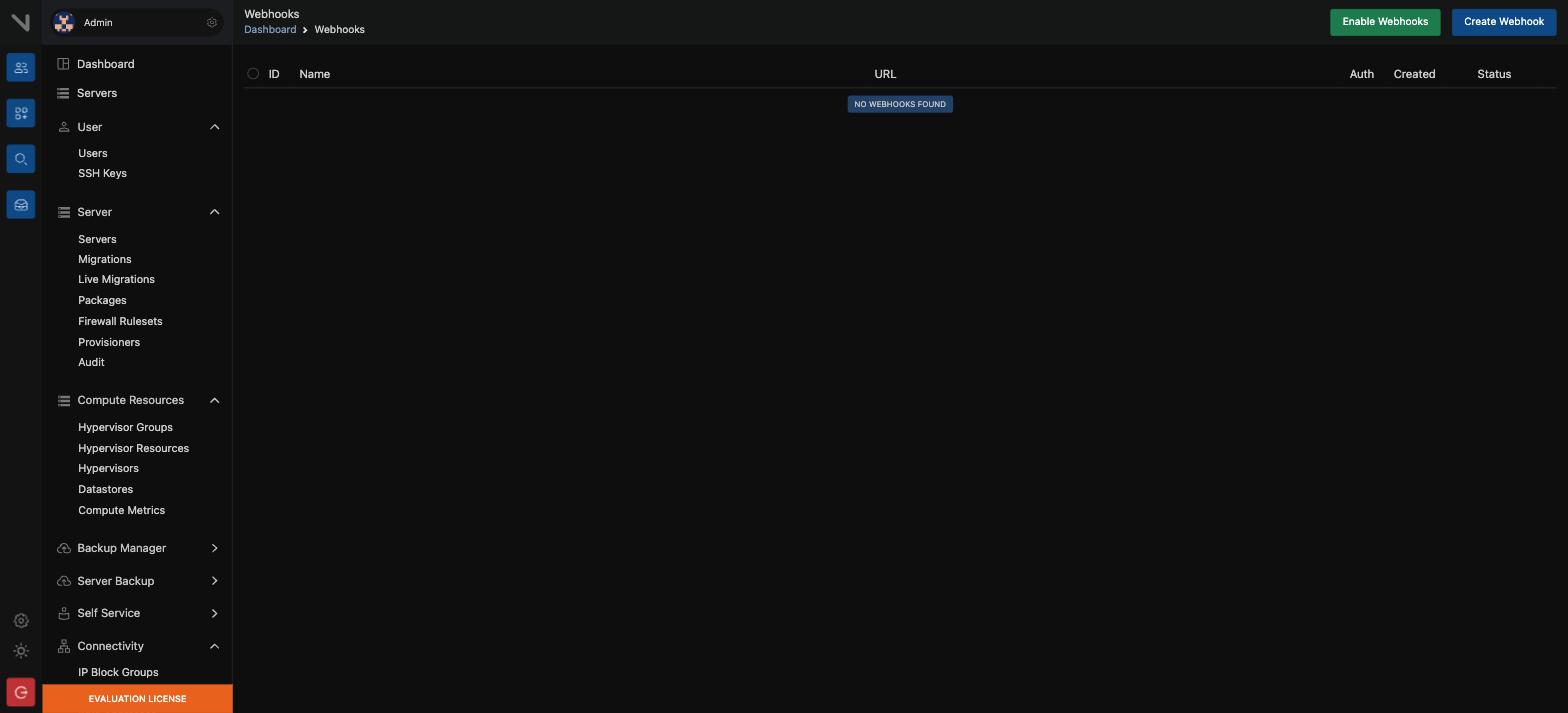
When something happens, VirtFusion sends an HTTP POST to your URL.
| Header | What it holds |
|---|---|
X-VirtFusion-Hook | The webhook id |
X-VirtFusion-Event | The event name, such as server.create |
X-VirtFusion-Event-Status | success, fail, or any |
X-VirtFusion-Created | The time, in ISO8601 |
The payload is JSON. The main information is in data, together with event, hookId, eventStatus, and the details of the control domain.
Authentication: an optional bearer token is supported. The token is always base64 encoded, and it travels in the Authorization header.
The number of events: more than 35, in four groups.
| Group | Examples |
|---|---|
| Server | Create, delete, power, migration, IP allocation |
| User | User created, changed, deleted |
| System | Backups, hypervisor monitoring, mailouts |
| Catch-all | Id 1000, which is every event |
Design rules#
- Keep the endpoint idempotent. The same event can arrive twice, and that
must do no harm.
- Answer
200quickly, and put the heavy work on your own queue. - Validate the token. If you do not, anyone can send you false events.
VirtFusion has a webhook proxy application, to send messages to Slack, Discord, Google Chat, Pushover, and Telegram.
Event hooks#
A webhook sends a message outside. An event hook runs your own code or action at the moment of the event, and hypervisor-level hooks are included. Use an event hook when the aim is not to tell an outside system, but to do something internally.
Lesson 8 — Billing integration#
Bro, what is this? Ok so basically: if you use WHMCS, Blesta, Clientexec or one of the others, someone already wrote the module. It does create, suspend, unsuspend, terminate. Put the API token in the password field of the server entry, which is the bit nobody guesses.
What exists#
| System | Who makes the module | Comment |
|---|---|---|
| WHMCS | VirtFusion | The most used, with a direct login bridge |
| WHMCS Resource Packs | VirtFusion | To sell resource packs, not servers |
| Blesta | VirtFusion | With a login bridge |
| Clientexec | VirtFusion | With a login bridge |
| BillingServ | VirtFusion | With a login bridge |
| HostBill | The HostBill team | Third party |
| Paymenter | The Paymenter team | Third party |
| Upmind | The Upmind team | Third party |
Almost every module does four things: create, suspend, unsuspend, and terminate.
The WHMCS setup, step by step#
- Download the module and extract it in the root of WHMCS. Version 2.5 needs
VirtFusion v6.0 or later.
- In VirtFusion, go to System → API → Create Token. Restrict it to an IP
if you want.
- In WHMCS, go to Servers → Add. Choose the module "VirtFusion Direct
Provisioning", and put the token in the password field.
- Make a server group and a product group.
- In the product, enter the Hypervisor Group ID and the Package ID,
both taken from VirtFusion.
Configurable options#
You can override the defaults of a package: the number of IPv4 addresses, the storage, the memory, the bandwidth, the CPU cores, and the network and storage profiles. The names must match exactly. If they do not, map them in ConfigOptionMapping.php.
More than one WHMCS#
If more than one WHMCS uses one control server, turn MultiInstance.php on. Give each one a different prefix of 1 to 5 characters. Without this, the client ids collide.
Lesson 9 — Build your own panel or automation#
Bro, what is this? Ok so basically: plenty of providers keep VirtFusion as the engine and put their own brand in front of it. Do not rebuild the console and the backup UI though — SSO the customer across for those. Keep one thin client layer so the rest of your code never learns VirtFusion's field names.
Why your own layer#
Many providers keep VirtFusion as the engine and build their own UI, with their own brand, their own checkout, and their own language.
The hybrid design, which is the most practical#
| Task | Where |
|---|---|
| Orders, checkout, invoices | In your application |
| Power, rebuild, password reset, traffic, IP | In your application, through the API |
| The VNC console, the firewall, the backup UI | Send the customer to the VirtFusion panel with SSO |
If you try to build everything yourself, you lose time copying the console and backup interfaces.
How to arrange the code#
Keep one thin client layer. Put the retry, the backoff, the error mapping, and the redaction of the token in the log there. The rest of the application then does not know the field names of VirtFusion, and you can add another backend, such as Proxmox, later.
your application
   │  ServerProvider (the interface)
   ▼
VirtFusionDriver ──▶ VirtFusionClient ──▶ /api/v1
                          │
                    retry / backoff / redacted log
The mistakes that happen most#
- Assuming the build is synchronous. Poll the queue.
- Making the VirtFusion user id a primary key. Use
extRelationId. - Ignoring the rate limit. Handle the 429 status.
- Not locking the token to an IP. A leaked token opens the whole panel.
- Taking an order without reading the capacity. The build fails, and you
must give the money back.
At the end of phase 5 you can#
- Make a token and call the API safely
- Set up user mapping and SSO login
- Write the create, build, and queue polling flow
- Use the power, resize, IP, and password calls
- Read the capacity before you accept an order
- Receive a webhook and validate it
- Connect WHMCS, or your own panel